Cognition Method Controls
How movement, looking, interaction, and the demo’s Tab reminder work before gravity turns the floor into a wall.
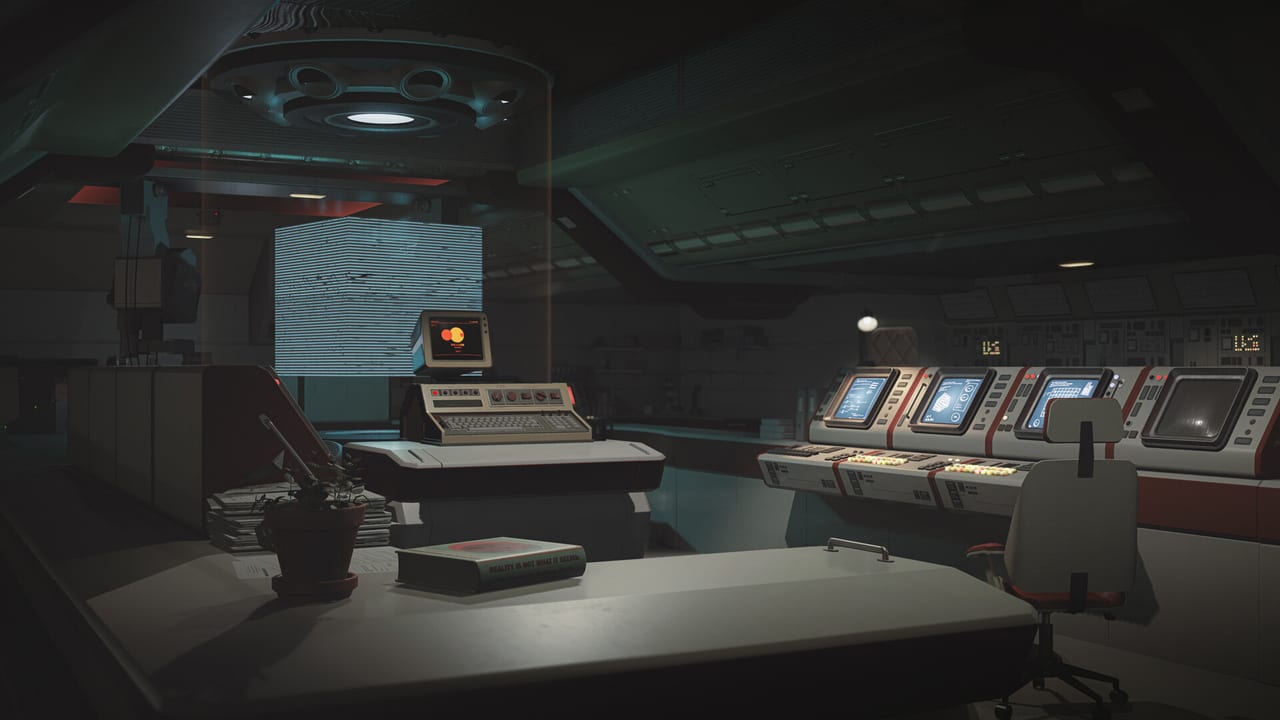
Cognition Method plays like a first-person adventure, not like an arena shooter. You will spend more time lining up a cube on a plate or reading a terminal than flicking a mouse at enemies. Still, bad camera comfort or a missed interact prompt will make gravity rooms feel unfair. This page collects what is confirmed from Steam flags, the 2024 public-demo notes, and playable builds — and it refuses to invent a full WASD cheat-sheet the studio has not published as an official overlay.
What Steam already promises
The full game lists:
- Single-player only (no two-player sessions, no online sessions)
- Full controller support, including DualShock and DualSense flags
- Steam Cloud
- Steam Achievements
- Photo mode (documented in a May 2026 community event)
Initiation, the 2021 free teaser, listed only partial controller support. If you are bouncing between demo and full-game page, that difference matters: a pad is a first-class device for the 2026 build, not a bonus.
Movement and looking
Expect standard first-person locomotion: walk, look, jump when a gap or timing ledge asks for it. Preview coverage from Games Gathering 2024 described rooms that mix logic with timing once gravity lets you walk on extra faces. That means analog look sensitivity on a mouse, and a camera that should stay stable when “down” rotates. If you get motion sick, open settings and lower look speed before you blame the puzzle.
Because gravity can reassign floors, treat jump as a precision tool, not a parkour habit. In Initiation, jumping into a pit is a hidden achievement (“immortal”), which is a joke the game is allowed to make. In a real trial, the same pit may be a new walkable well. Look before you leap; the gravity puzzles guide explains how to read those spaces.
Interaction
The verbs that show up across demos and trailers are consistent even when the exact bind is left to the in-game mapper:
- Pick up, carry, and set down cubes or other test objects
- Place objects on pressure plates
- Use terminals on the station (the 2024 public demo added a redesigned terminal UI)
- Collect keys for secret rooms (Initiation hides at least two)
- Trigger environmental gravity — wells, walkable gold/triangle surfaces in later puzzle language, or rooms that simply invert
If an object looks ceremonial (a mirrored sphere, a statue’s gesture, a circle on the floor), it is probably a verb, not set dressing. The demo walkthrough calls these out in order.
Tab objectives (public demo, 2024)
After alpha feedback, Team Cognition added an objective system to the public demo: press Tab to reread the protagonist’s recent thought and the next step. The patch notes originally framed this around Martin’s thoughts on the Tanmi-related station episode. In practical terms, if you are lost in a human corridor full of props, Tab is cheaper than walking in a circle. The full 2026 build may keep, rename, or restyle that overlay; check the in-game prompt on day one and come back here if it changes.
Gamepad and accessibility of input
Full controller support plus DualSense flags usually means you can play from a sofa, with haptics if the studio wired them. Use whatever the in-game layout screen shows. Do not copy a random FPS layout from another title; you are not spraying recoil, you are lining up physics toys. Swap stick functions only after you have finished a gravity well once, or you will invert look at the same moment the world inverts.
Steam Deck appeared in a 2024 show demo (Games Gathering on a Deck unit). Official Deck verification on the store was still listed as unknown in public aggregators before launch. Treat handheld play as “try it,” then confirm thermals and look sensitivity on system requirements.
Photo mode is a control mode, not a filter
Photo mode lets you fly the camera through neo-brutalist interiors. That is a separate control scheme: free camera, not William’s body. Bind it somewhere you will not tap during a timing puzzle. The photo mode page covers the 2026 contest rules and why Ando-like concrete reads better with a locked sun angle.
Habits that save retries
- Rebind nothing until you have stood on a wall once.
- Keep interact on a comfortable finger; you will spam it on terminals.
- Use Tab in the public demo before you assume a quest is bugged.
- When a room feels unsolvable, change your standing face first, then the object, then the video. The getting started page explains why the official first-hour footage is a pacing lesson, not a bind list.
- If you are hunting Initiation 100%, read secrets before you throw every cube into a hole.
Cognition Method’s difficulty is spatial, not mechanical. Good controls disappear. Bad sensitivity makes every well feel like a bug. Set the camera, then go solve the architecture.
Frequently Asked Questions
Quick answers to the most common questions.
What is the exact interact key?
Team Cognition has not published a frozen public overlay. Use the in-game mapper. This page lists verbs, not invented binds.
Does Tab do anything?
In the 2024 public demo, Tab opens the objective / recent-thought reminder. Confirm the prompt in your build.
Can I play entirely on a controller?
The full game lists full controller support, including DualShock and DualSense. Initiation only advertised partial support.
Where do I go after learning controls?
Read gravity puzzles, then the demo walkthrough if a room stalls you.