Getting Started with Cognition Method
From Steam wishlist to your first gravity well, without mixing demo lore with the 2026 story.
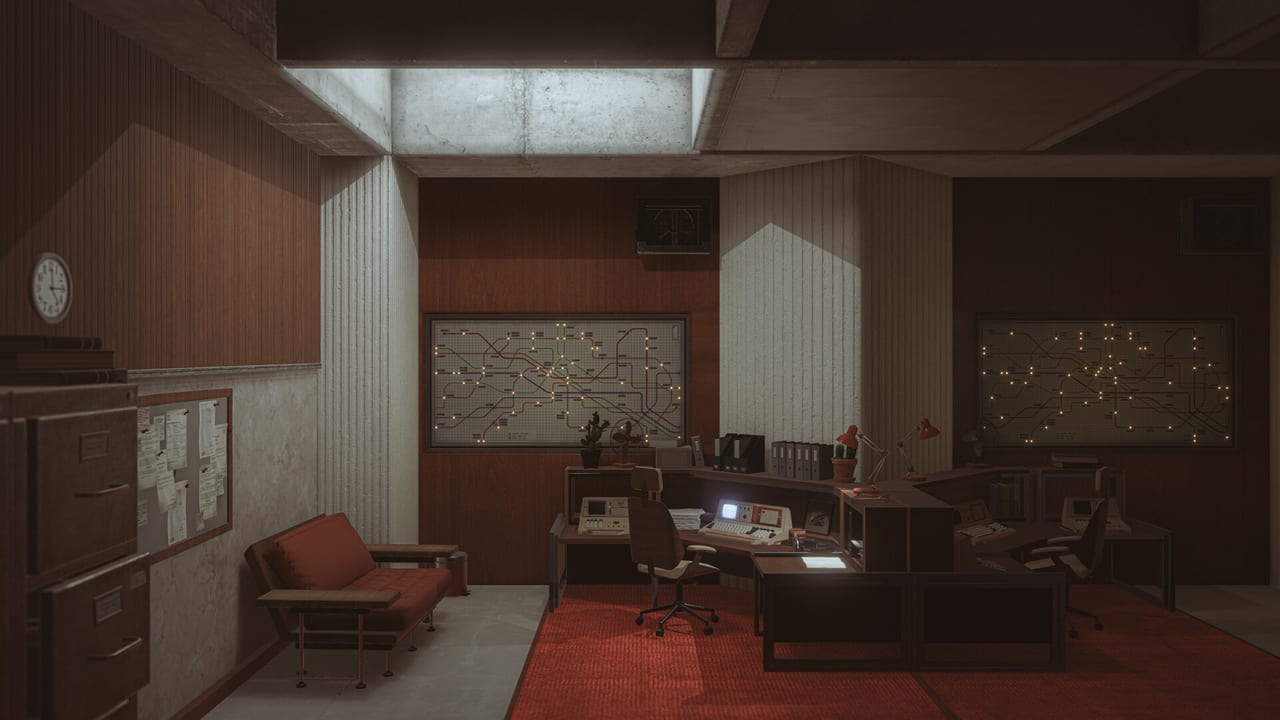
Cognition Method is easy to mis-file. It is not a Roblox game, it is not a live-service shooter, and it does not ask you to redeem weekly codes. It is a single-player first-person puzzle on PC, developed and published independently by Team Cognition, with a planned Steam launch on 1 September 2026. This page is the on-ramp: what to install, what the first hour is for, and which wiki pages to open when a room stops making sense.
What you are actually buying into
The current Steam page sets the full game in 2085. Earth is gone. Humanity lives on Mars. You are William Mortwood, an astronaut of the Martian Academy. A remote station went silent after bringing a mysterious Artifact aboard. The crew vanished. His son was among them. Your job is to read the wreckage, enter the Artifact, and stay coherent while gravity, geometry, and memory stop agreeing with each other.
Older materials used different names. The 2021 teaser Cognition Method: Initiation talks about Earth on the brink and scientists who found “the Cube.” A 2024 public-demo patch still mentioned Martin and the Tanmi spacecraft. Treat those as earlier drafts you can play, not as contradictions you need to “fix.” The story and lore page keeps the timelines separate.
Team Cognition is small — IGN described a three-person team led by Timur Ozdoev, a former Cyberpunk 2077 environment artist at CD Projekt Red. Visual references they name in public are 2001: A Space Odyssey, Solaris, Tadao Ando’s concrete, and impossible geometry in the Escher sense. The result is two contrasting spaces: a bright, cluttered station full of human residue, and a cold Cube of silent corridors.
Step 1 — Wishlist the full game
Open the official Steam app page and add Cognition Method to your wishlist. That is the only reliable way to get the unlock ping on 1 September 2026. Price was not listed as a final store number at the time of writing because the title was still marked coming soon. Family Sharing, Steam Cloud, Steam Achievements, and full controller support (including DualShock and DualSense) are already on the store flags.
Cross-check dates on the release date page before you take a day off work. Independent teams slip, even when they sound confident.
Step 2 — Play a demo this week
You do not have to wait until September to learn the language of the rooms.
- Cognition Method: Initiation (Steam app 1554860) is a free 2021 teaser with eight achievements and a short clear time — HowLongToBeat sits around half an hour.
- Cognition Method Demo (Steam app 2159460) is a later free demo (listed from October 2022) with a stronger “flip your reality” pitch and fear/chase language.
- The full game’s store page also exposes a demo download for app 1636620. Use whatever Steam currently offers; the demo changelog explains how the public build evolved through 2024 (terminals, Tab objectives, extra prologue puzzles).
Install, play with headphones, and treat every readable prop as a clue. The station side of the game is a walking investigation as much as a puzzler.
Step 3 — Learn the verbs before the hard rooms
You move and look like a standard PC adventure. You interact with cubes, plates, terminals, keys, and light. Gravity is not a gimmick overlay; it is how rooms are traversed. The 2024 public demo added an objective reminder on Tab so you can reread the last thought if the station layout swallows you. Full controller support is listed for the complete game, so a pad is a valid first-hour device, not a fallback.
Do not skip controls or gravity puzzles. Players who treat every sunken floor as a pit instead of a new “down” burn time. Players who throw the useful cube into the void because the pit looked like a trash chute will meet the Initiation “ballast” achievement by accident — see secrets.
Step 4 — Watch one honest first hour, then play
Team Cognition published a long first-hour capture. It is the video in the middle of this page: not a highlight reel, not a speedrun. Use it to understand pacing (quiet, architectural, a little viscous) and then put it away. The demo walkthrough is the text companion when a specific trial refuses to yield.
The video below is that official first hour. Click to load it; nothing autoplays.
Step 5 — Hardware, settings, photo mode
Minimum spec on the full-game store page is Windows 10 64-bit, an Intel Core i5-4460 or AMD Ryzen 3 1200, 8 GB RAM, a GeForce GTX 1060 or Radeon RX 580, and 20 GB of disk. That is a different machine from Initiation’s old Windows 7 / 2 GB RAM list. Confirm numbers on system requirements and then use settings for brightness, subtitles, and camera comfort. Photo mode is a real feature with a 2026 community contest; it is optional for completion, not optional if you care about the architecture — photo mode.
What “done” looks like for a new player
A sensible first session is: wishlist, install one demo, finish Initiation or the public prologue, and bookmark this wiki’s guides hub. You do not need a build planner, a tier list, or a friends list. You need patience, a notebook for terminal fragments, and the willingness to look at a room from the wall instead of the floor.
When you want a spoiler-light “is this for me?” read, open the preview. For official URLs, use Links.
Frequently Asked Questions
Quick answers to the most common questions.
Can I play Cognition Method right now?
The full game is still upcoming on 1 September 2026. You can play free demos on Steam today. See the demo walkthrough.
Who is the protagonist?
The current Steam page names William Mortwood. Earlier demos used other names. Details sit on story and lore.
Is the game multiplayer?
No. Store flags are single-player only. There is no shared campaign.
What should I read after this page?
Next: controls and gravity puzzles. Then the demo walkthrough if a room stops you.